> For the complete documentation index, see [llms.txt](https://guide.bocto.octopeeps.com/llms.txt). Markdown versions of documentation pages are available by appending `.md` to page URLs; this page is available as [Markdown](https://guide.bocto.octopeeps.com/plugins/verify-roles/verification-rules/collectibles-quantity-based-roles.md).
# Collectibles Quantity-Based Roles
This rule type allows you to assign a specific role to your **Discord** users based on a certain number of NFTs from a particular **Collectibles NFT collection type** they own. Works for [supported **EVM** chains](/basics/chains-marketplaces.md#supported-evm-chains) and **Solana**.
## Explanation of the Fields.
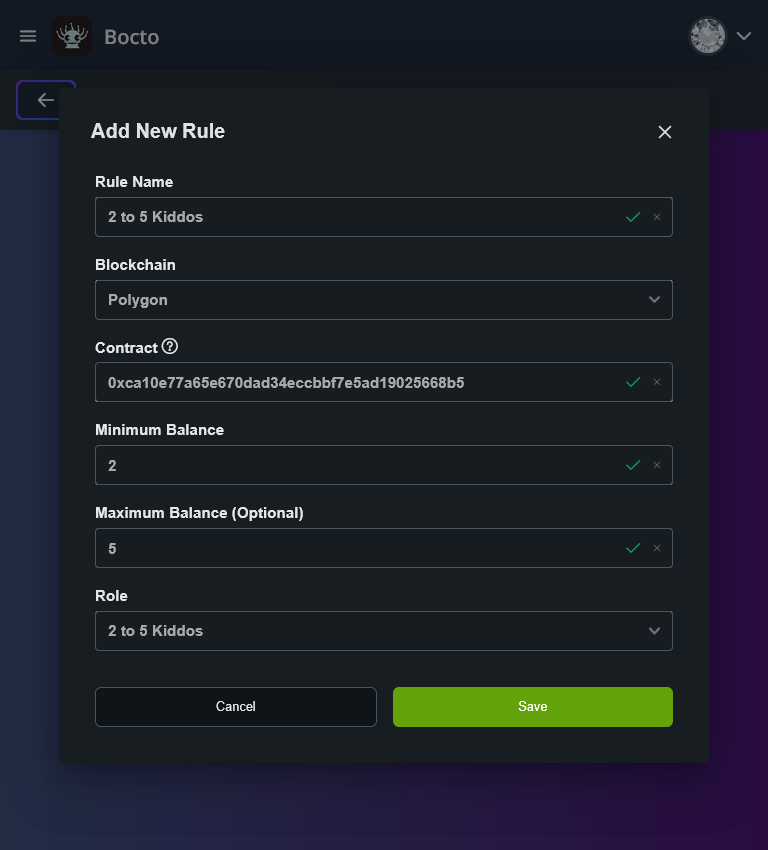
* In the **Rule Name** field, enter your desired rule name.
* In the **Blockchain** dropdown, select the blockchain where your collection contract is deployed.
* In the **Contract** field, enter the [collection contract address](/appendix/getting-collection-contract-address.md).
* In the **Minimum Balance** field, enter the minimum number of NFTs a user should hold to get the role.
* In the **Maximum Balance** field, enter the minimum number of NFTs a user should hold to get the role.
* In the **Role** dropdown, select the prepared **@Role** you wish to assign to the holders.
{% hint style="danger" %}
Be especially careful when setting the **Contract** field for **Solana** collections! Check this [link](/appendix/getting-collection-contract-address.md) before starting!
{% endhint %}
{% hint style="danger" %}
If you set up the **Editions** collection type instead of the **Collectibles** type, no error will occur, but the rule won't work!
{% endhint %}
## Setting Up Minimum and Maximum Limited Grades.
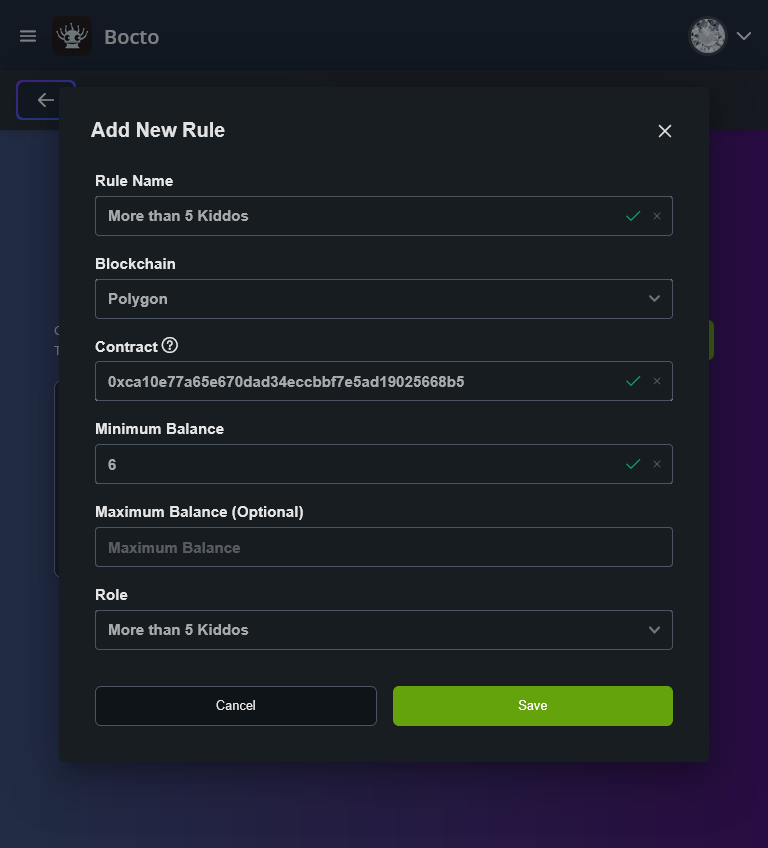
## Setting Up Minimum Only Limited Grades.
As far as the **Maximum Balance** field is optional, you can use it to keep the upper restriction blank for the latest grade:
{% hint style="info" %} **Note:** To prevent rule conflicts when creating holder grades, make sure that each time you set the current **Minimum Balance**, it is exactly +1 higher than the previous range's **Maximum Balance**.
{% endhint %}