> For the complete documentation index, see [llms.txt](https://guide.bocto.octopeeps.com/llms.txt). Markdown versions of documentation pages are available by appending `.md` to page URLs; this page is available as [Markdown](https://guide.bocto.octopeeps.com/plugins/verify-roles/verification-channel-setup.md).
# Verification Channel Setup
When the [verification rules](/plugins/verify-roles/verification-rules.md) are ready, you can invite your users to initiate the verification process. But first, you need to prepare and set up the verification channel.
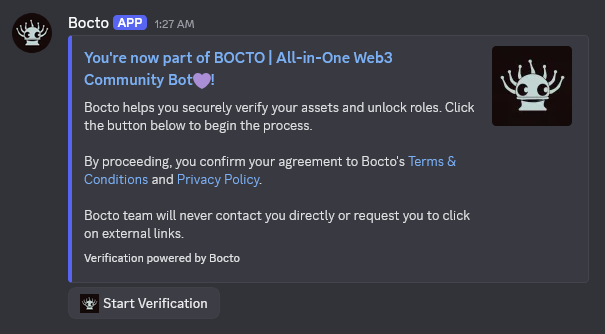
To provide your **Discord** server with the token-gated functionality, **Bocto** initially creates an embedded message with a special widget. This widget can be set up using two methods - via the **Bocto** Dashboard and via the **Discord** command.
## Setting up the Channel and Permissions.
Whatever of the two mentioned methods you choose, first you need to prepare the **#nft-verify** (or name it as you wish) public channel with the [correct channel permissions](/appendix/setting-up-channels-permissions.md) where you want to set up the verification widget, then come here to continue.
## Setting up the Verification Widget via Dashboard.
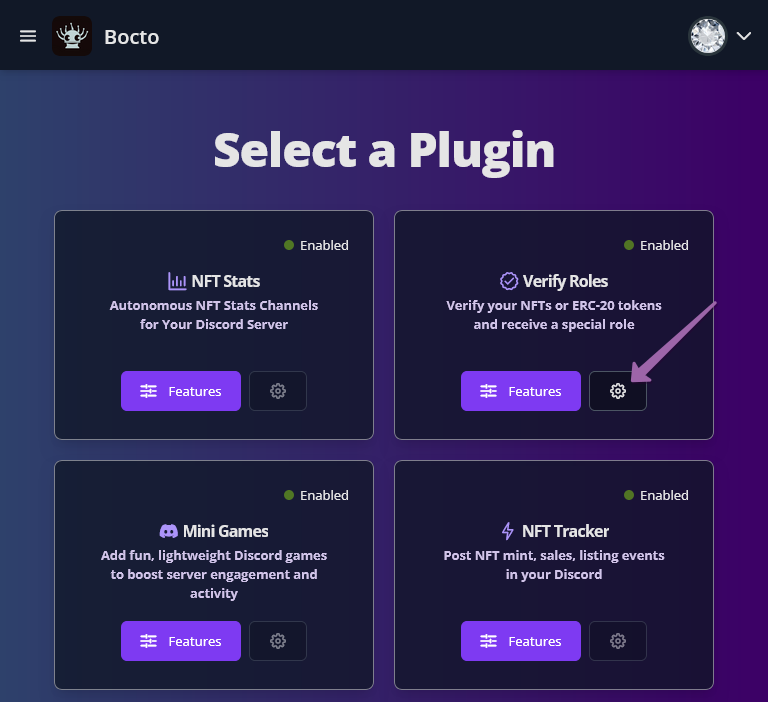
After activating the plugin in the **Bocto** Dashboard and creating the **#nft-verify** channel in your **Discord**, come back to the **Select a Plugin** page and click on the `⚙` button to enter the basic plugin settings.
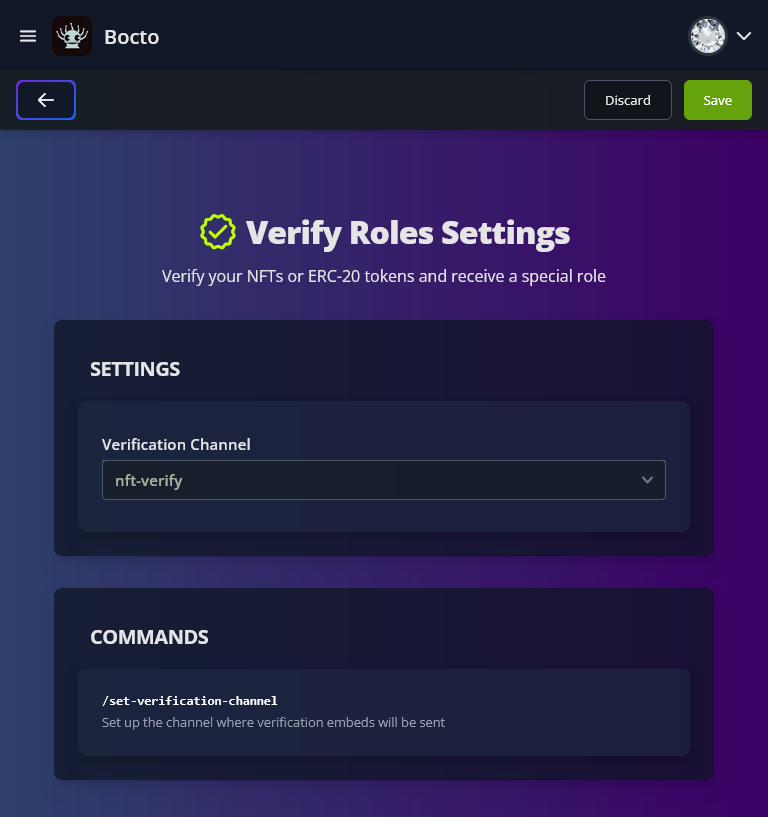
Now choose the prepared channel - it will take a while to check if **Bocto** has access to this channel. If everything is OK, press the **`Save`** button on the top bar.
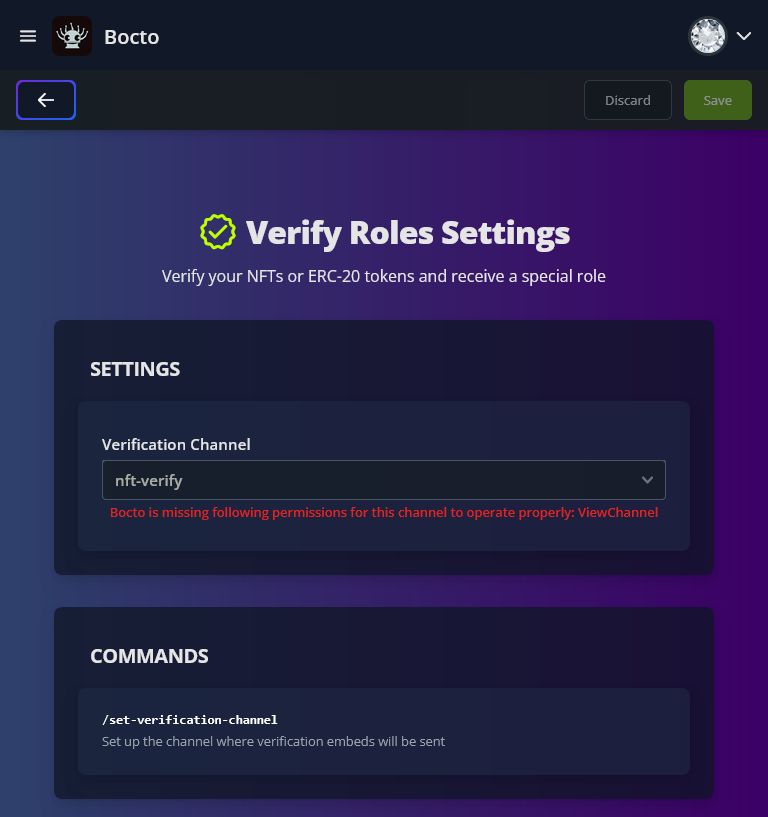
If you see this error: **Bocto is missing the following permissions for this channel to operate properly: ViewChannel**, that means your **#nft-verify** channel is actually private!
To fix it, check again and set up the [correct channel permissions](/appendix/setting-up-channels-permissions.md), then come back and reload the **Verify Roles Settings** page. If everything is OK, press the `Save` button on the top bar.
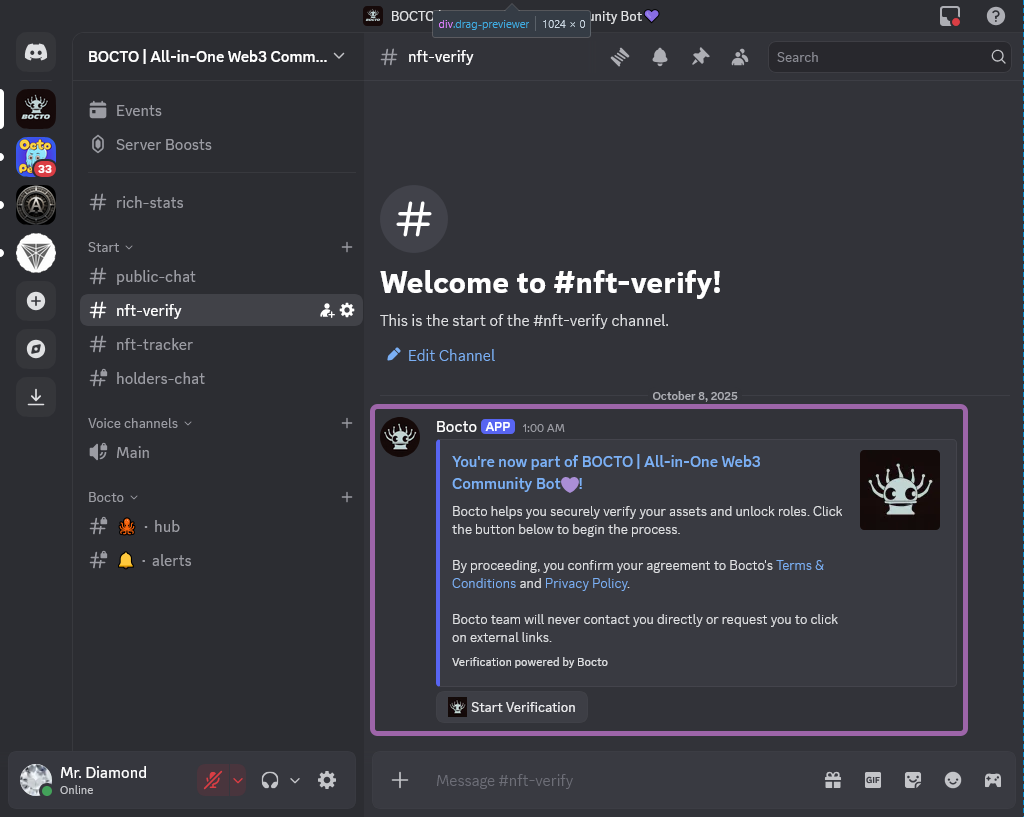
After saving the channel in the **Bocto** Dashboard, the embed widget will immediately appear in this channel.
## Set up the Verification Widget via Discord.
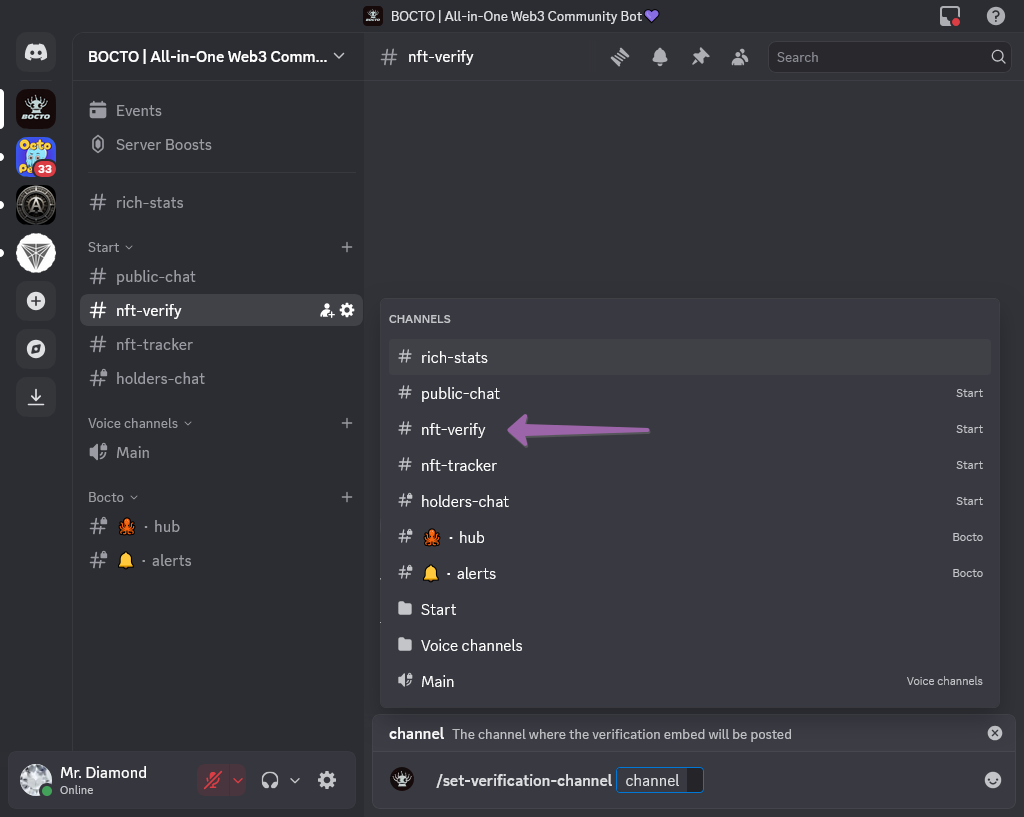
Alternatively, you can use the special **Discord** command to set up the verification widget. If you prefer this method, call the `/set-verification-channel` command in any channel and in the appeared dropdown, choose the channel for the verification you've prepared. Here is the same rule - this channel must have the [correct channel permissions](/appendix/setting-up-channels-permissions.md) set up.
If everything is okay with the permissions, the embed widget will immediately appear in this channel.
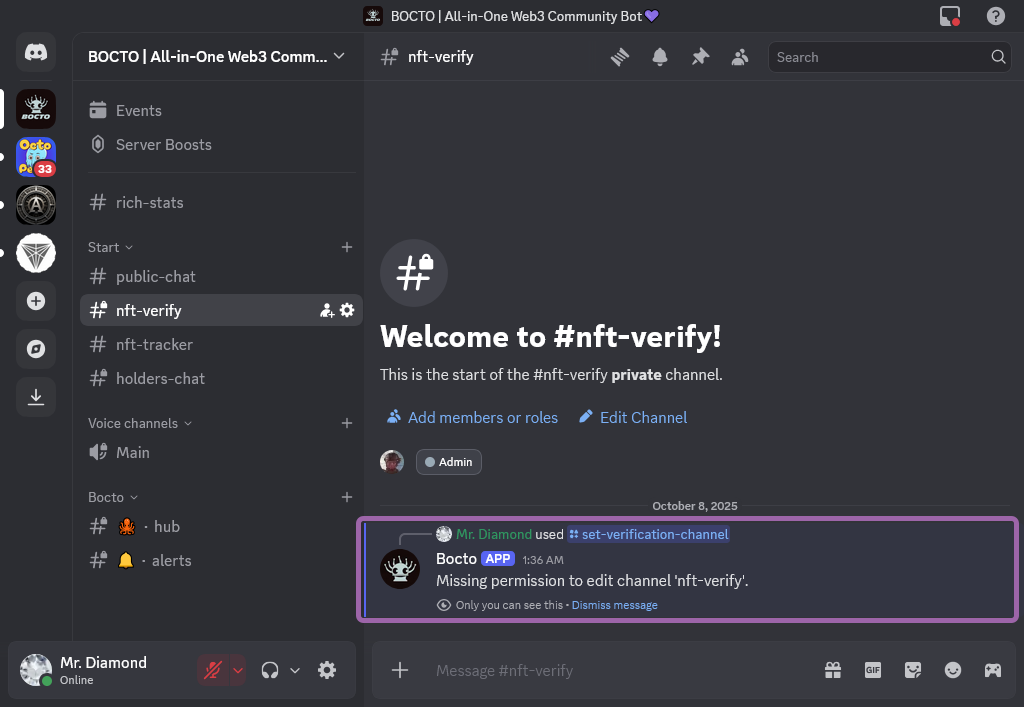
But if you see this message instead, that means your **#nft-verify** channel is actually private.
To fix it, check again and set up the [correct channel permissions](/appendix/setting-up-channels-permissions.md), then come back and relaunch the command.
When everything is done, visit the **Verify Roles Settings** page in **Dashboard** to ensure the channel was set automatically. If you kept this page open, refresh it to see the actual state. It should look like this:
{% hint style="success" %}
Once you've done, invite your users to this channel to start the [user verification process](/user-profile/user-verification-process.md).
{% endhint %}