> For the complete documentation index, see [llms.txt](https://guide.bocto.octopeeps.com/llms.txt). Markdown versions of documentation pages are available by appending `.md` to page URLs; this page is available as [Markdown](https://guide.bocto.octopeeps.com/plugins/utilities/user-wallet-storage.md).
# User Wallet Storage
This feature allows quick access to user wallets across all Bocto guilds.
## Use Case.
Almost every community has active users who constantly win prizes. And every time these users come to claim their reward, the manager has to ask for their wallet addresses again to ensure that nothing has changed since the last time. It makes the process longer, adding +1 step to the communication.
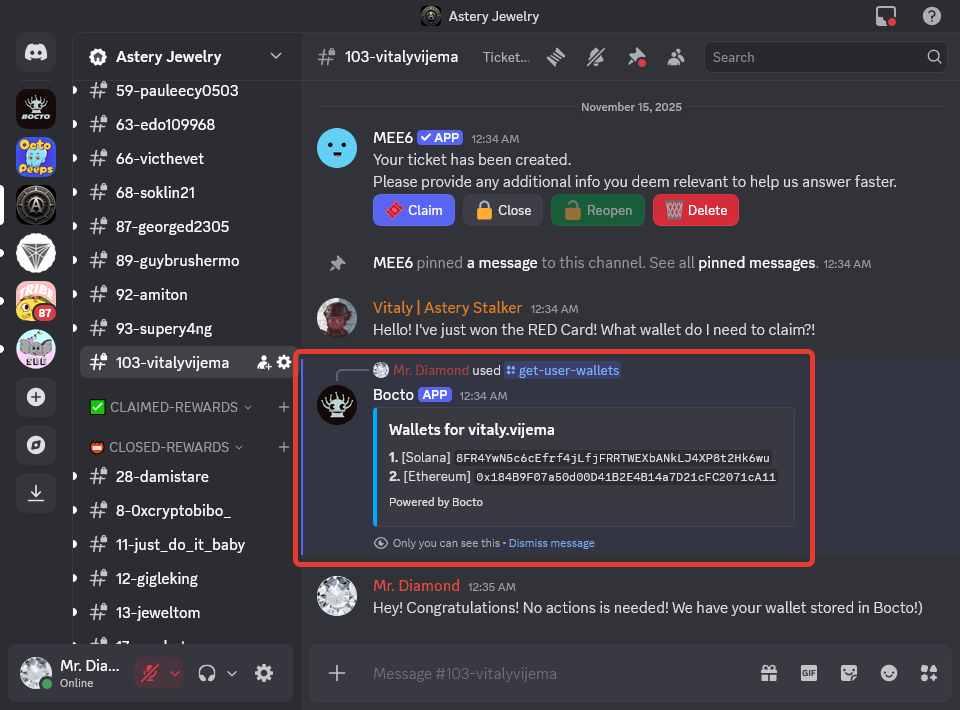
However, as far as **Bocto** collects users' wallets across servers via [**Verify Roles**](/plugins/verify-roles.md), we can provide access to them to every server manager. All you need to do is use a special command, and if the user previously passed the NFT verification on one of the servers with **Bocto**, you will see the list of all wallets they added:
You can find the detailed guide on [how to use](#how-to-use) this feature at the end of this page.
## User Wallet Storage Activation.
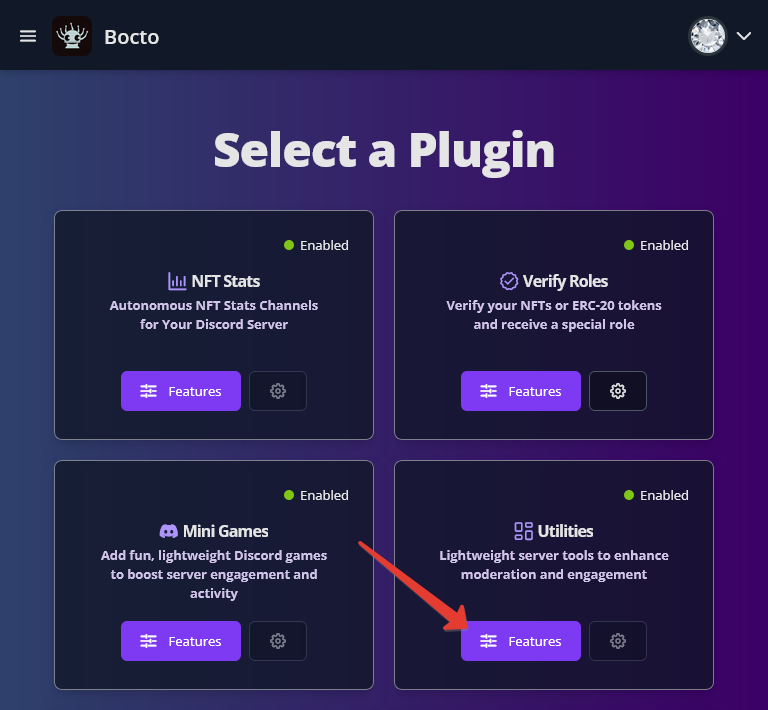
To activate the **User Wallet Storage**, go to the **Select a Plugin** page and click on the `≡ Features` button on the **Utilities** card.
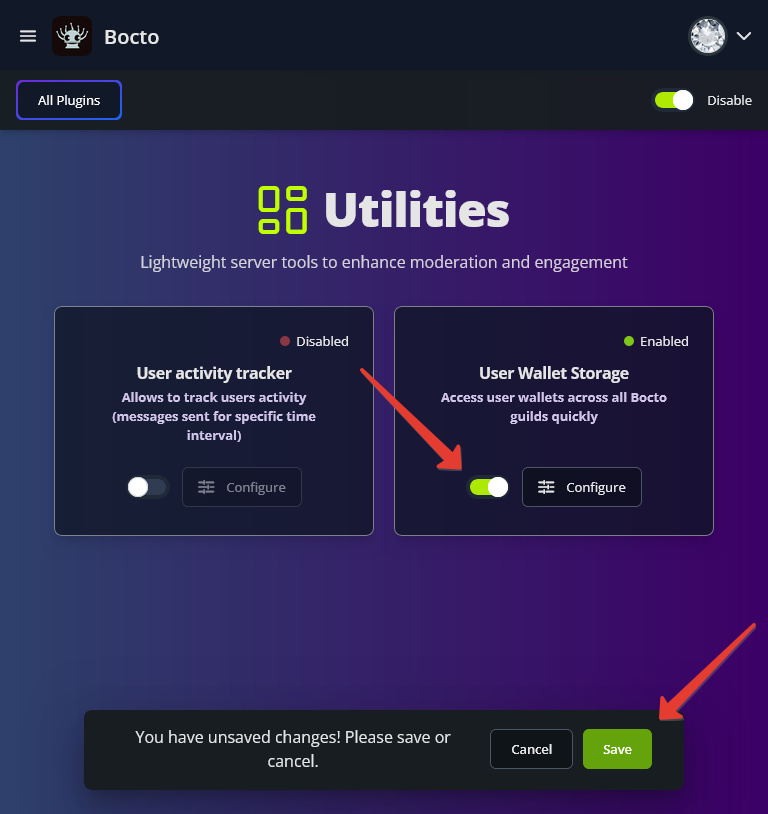
Now, activate the **User Wallet Storage** by clicking on the switcher on the corresponding card, and confirm activation. That's all, now you can use the command on your server!
## Available Commands.
`/get-user-wallets` Get all wallet addresses associated with a user across all Bocto guilds.
{% hint style="success" %}
This command can be used only by roles with Administrator permissions, so you don't have to worry about other users running it and seeing someone else's wallets.
{% endhint %}
## How to Use.
Run the `/get-user-wallets` command in the support ticket and select the user. You will only see the list of users who have access to this channel:
Then press Enter to confirm. If the user previously added at least one wallet to our system via any server with **Bocto**, you will see the embed with their wallet list:
If the wallet is not in our system, you will see another embed:
.png?alt=media&token=9dd38d7b-c38f-4b29-ab89-683a84d209e5)
.png?alt=media&token=33fe9bea-4857-4a03-8a4f-915c603331e7)
.png?alt=media&token=51c67b62-a1bf-4c64-b6f5-b27da5c83d45)
.png?alt=media&token=4c079107-6ffa-4835-9e4a-668d0df761a2)